How to record a prepaid expenses.
updated 4 months ago
HOW TO RECORD PREPAID EXPENSES.
Login to your Simplebks (www.simplebks.com)
Click on “Expenses on the sidebar"
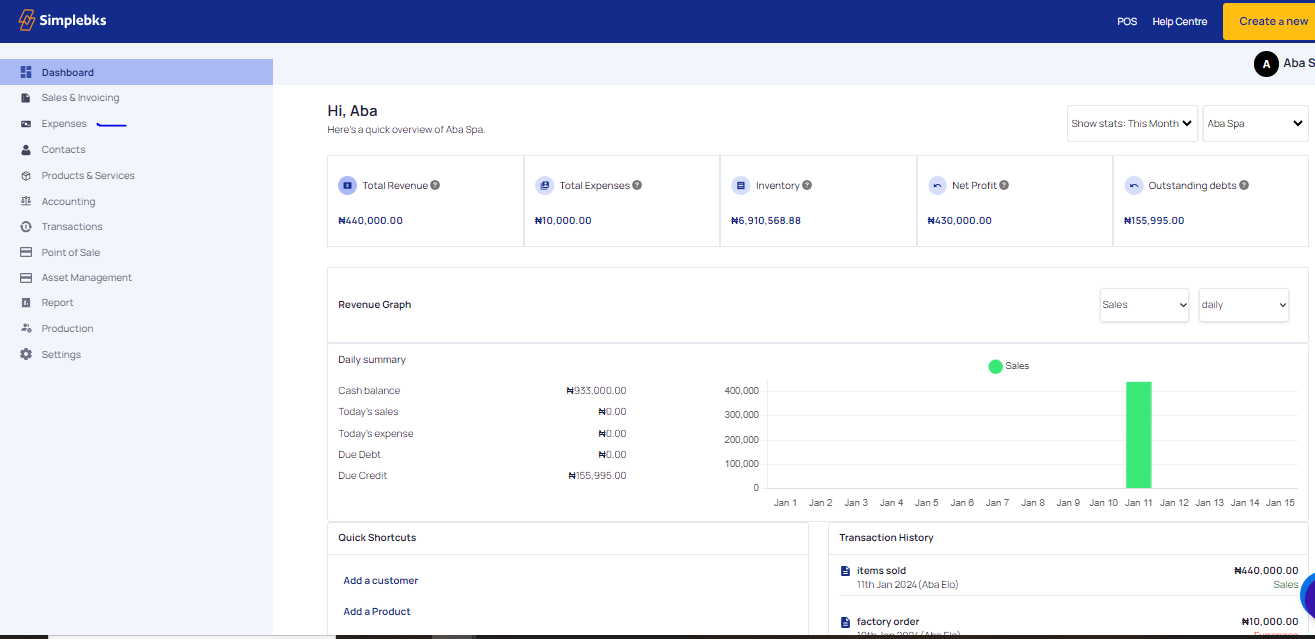
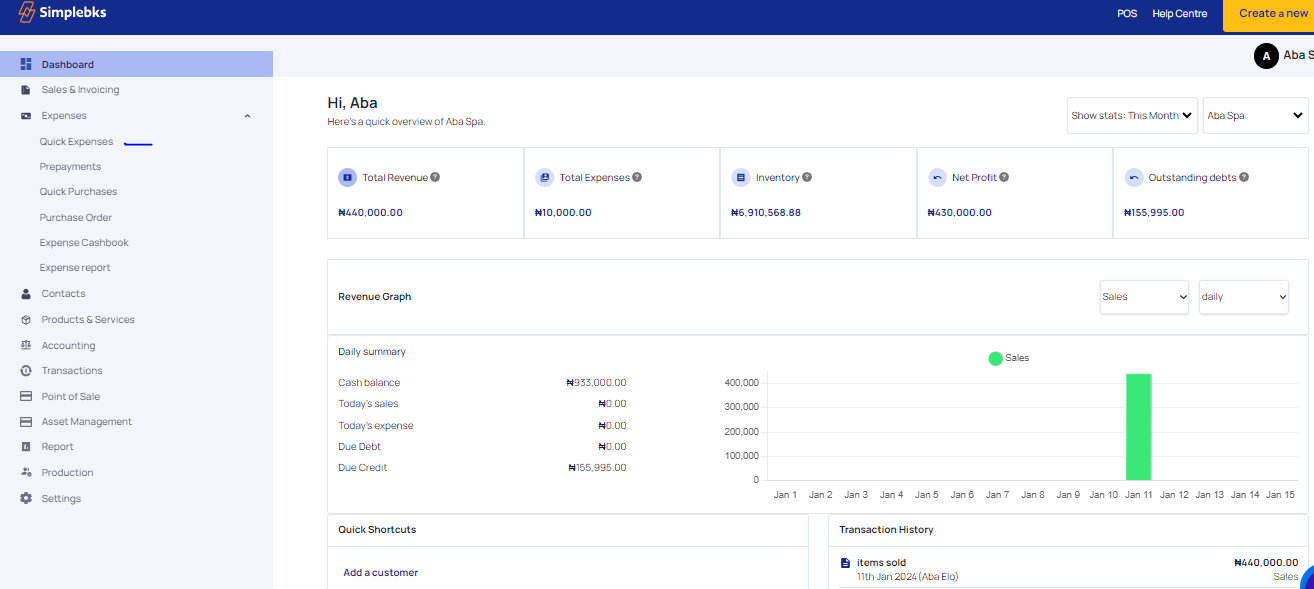
From the dropdown on the sidebar, click on ‘’Prepaid Expenses’’.
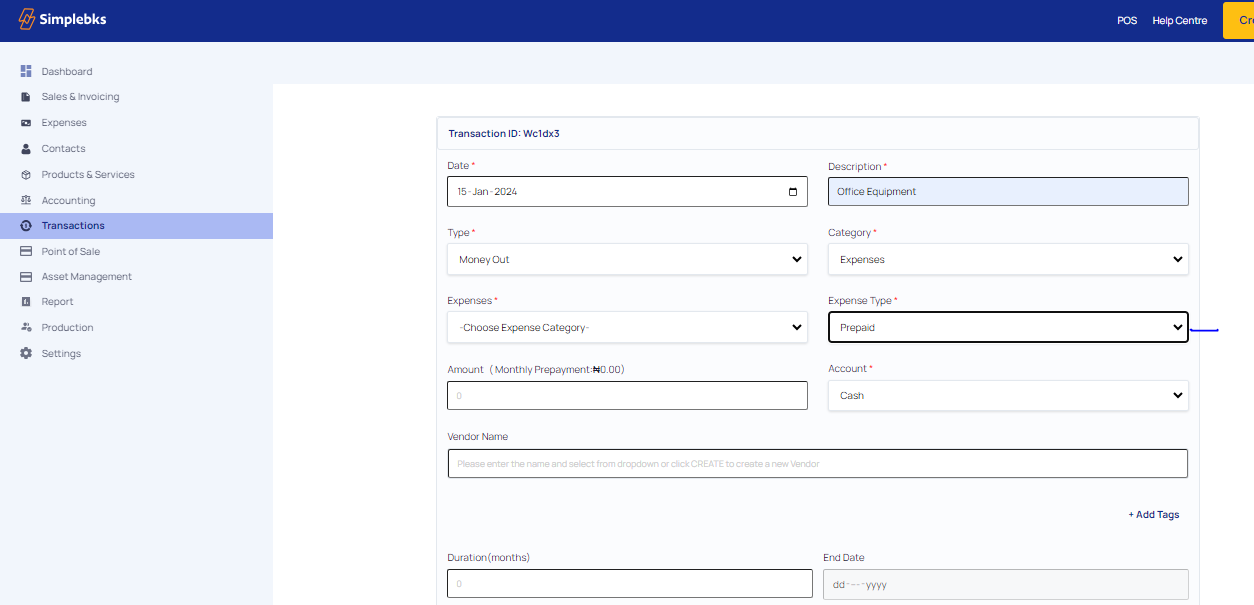
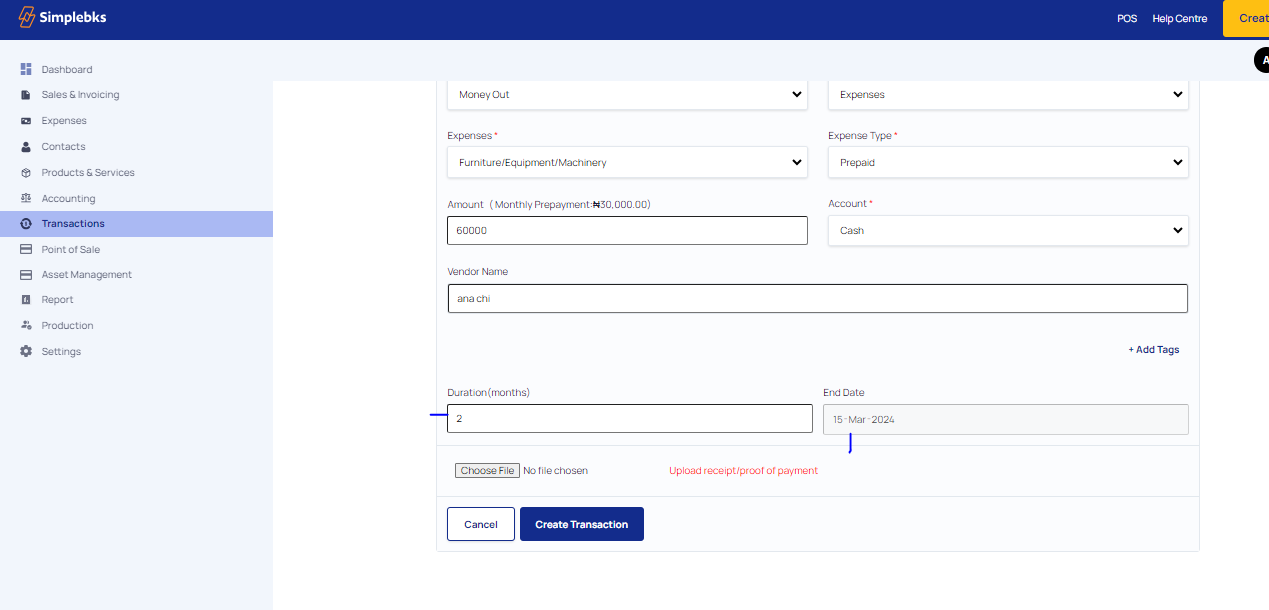
Input the Date, Description, Type( Money Out), Category( Expenses), Expenses type( Prepaid)
Enter Expenses, Amount, and Account.
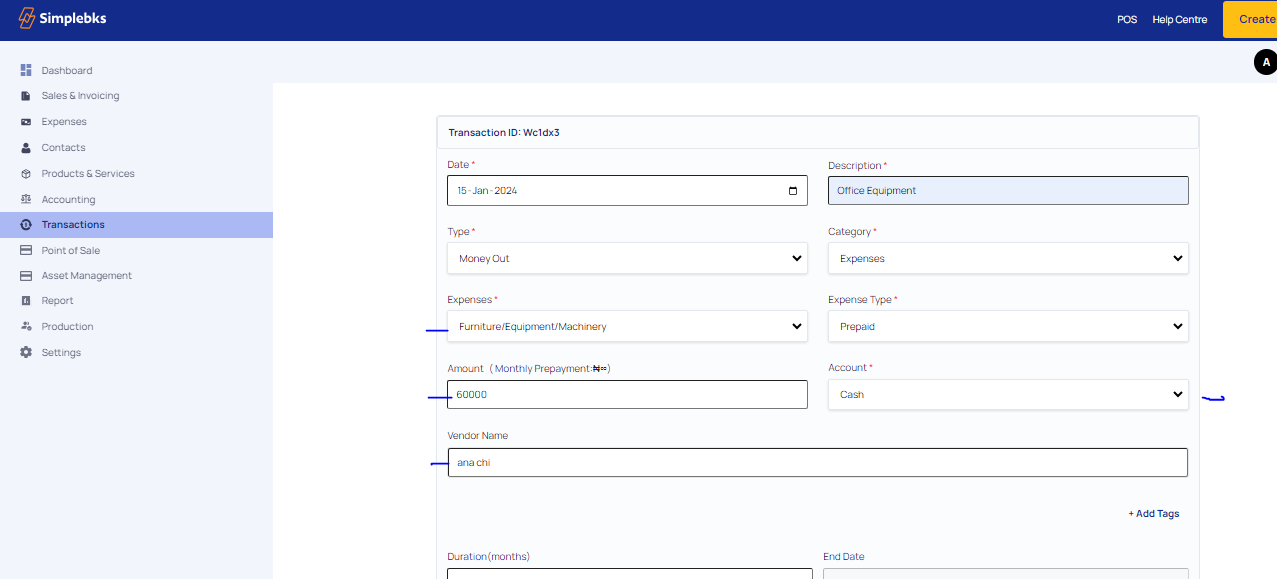
Enter the Vendor Name
Enter the Duration and End Date>
The "duration" of prepaid expenses refers to how long such payment would be made.
The "date" of prepaid expenses refers to the specific day on which a business makes the payment.
Click on Choose a file to upload receipt> Click on Upload receipt
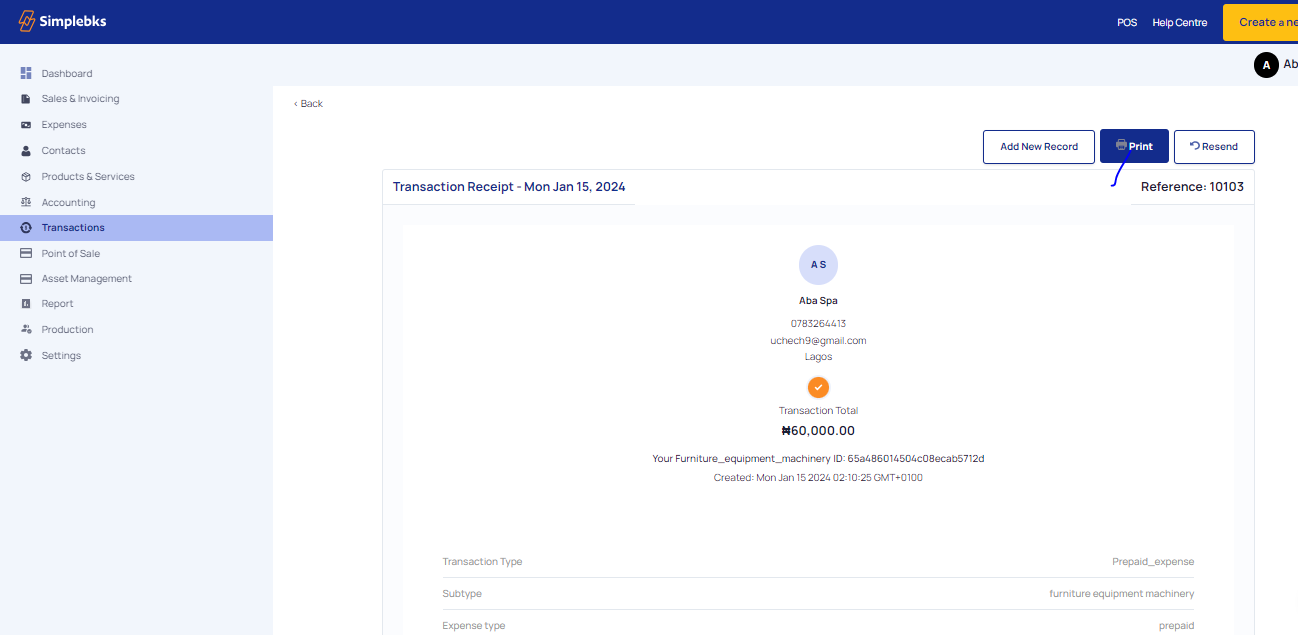
Transaction Created Successfully
Click on Print>To print the receipt or download the receipt as a PDF
Was this article helpful?