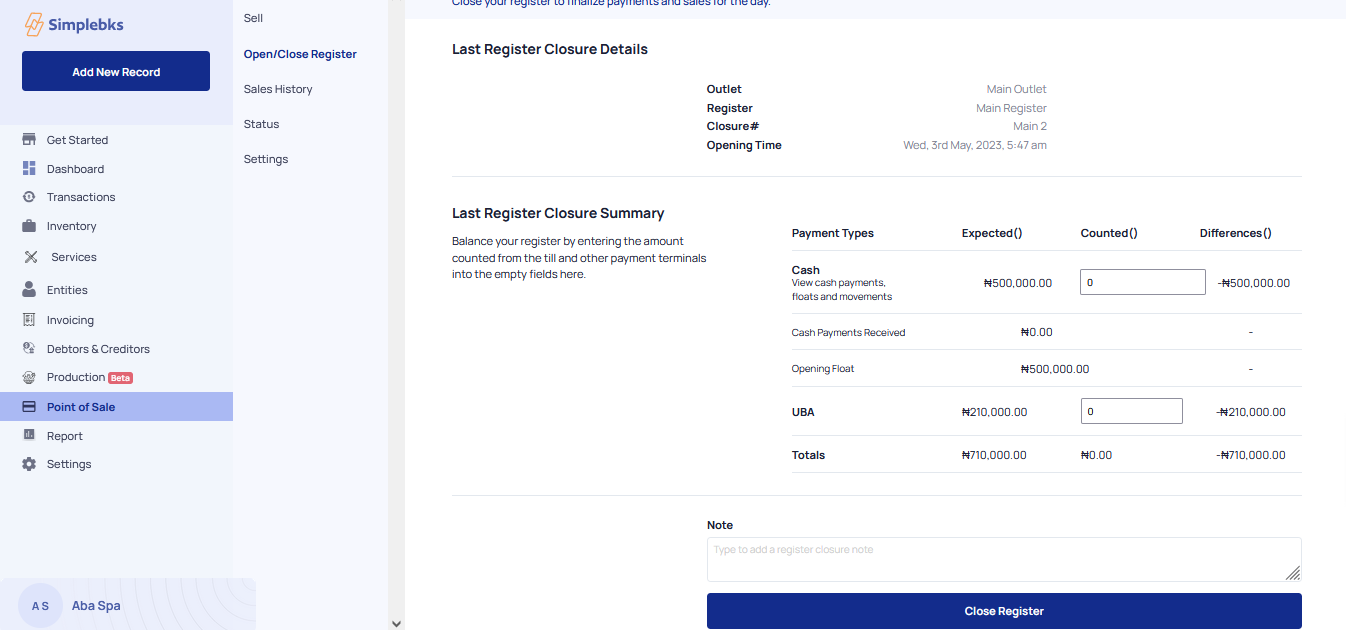
How to close a daily register
updated 1 year ago
Log in to http://app.simplebks.com
Scroll down, and click on Point Of Sale
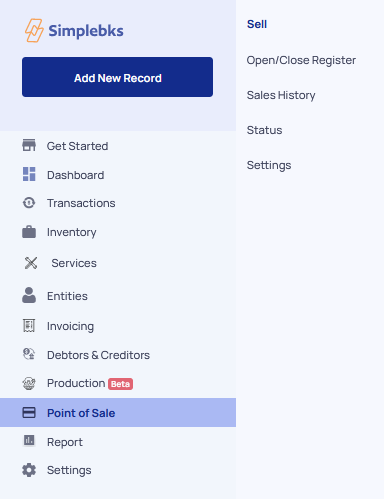
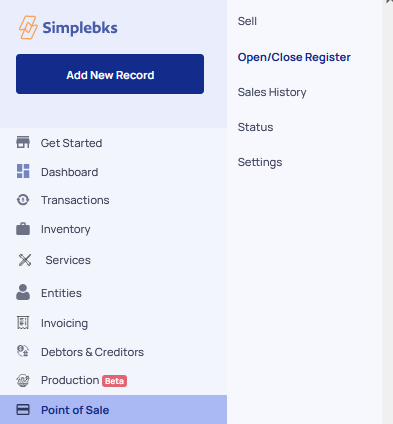
Go to Open/Close Register
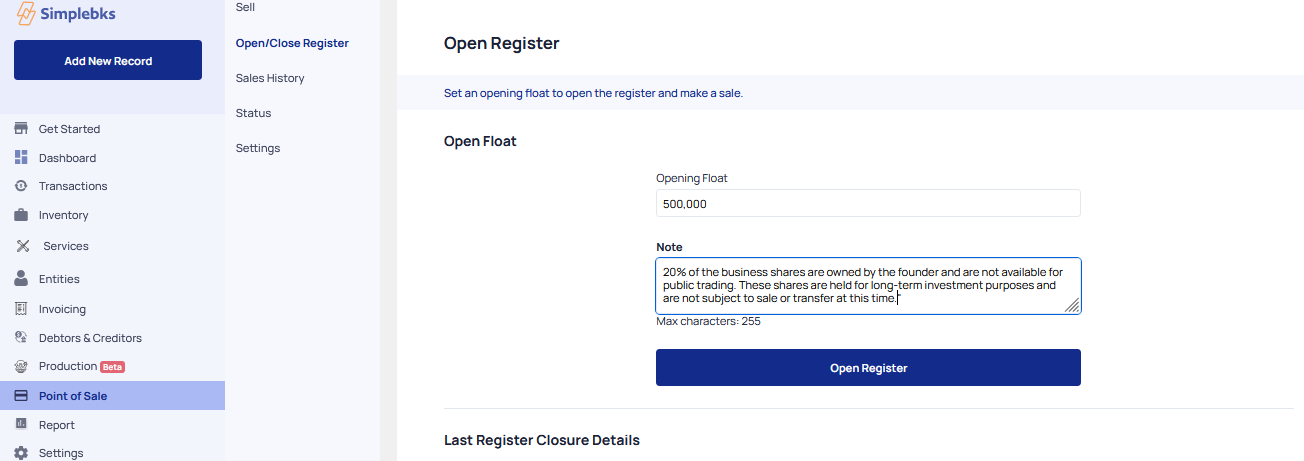
Enter the Opening float
Drop a Note
Click on Open Register
Select the Products
Click on the Pay Items.
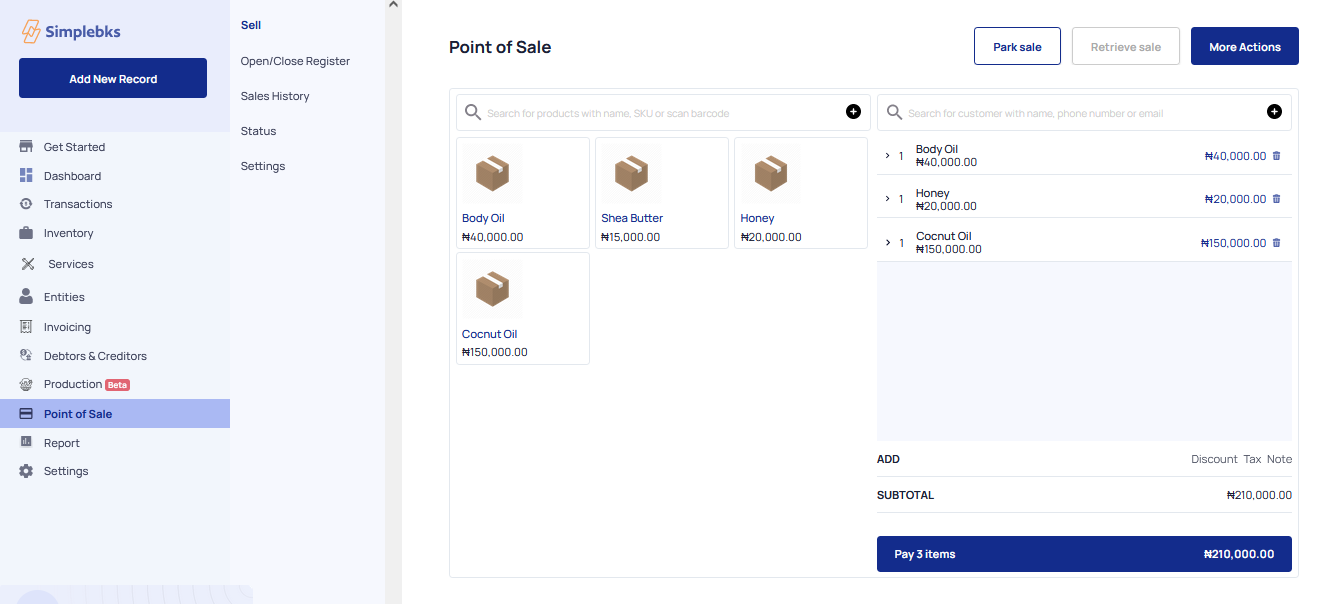
Enter the Customer's Name, Phone number, and Email
Indicate the mode of payment> Cash or Bank
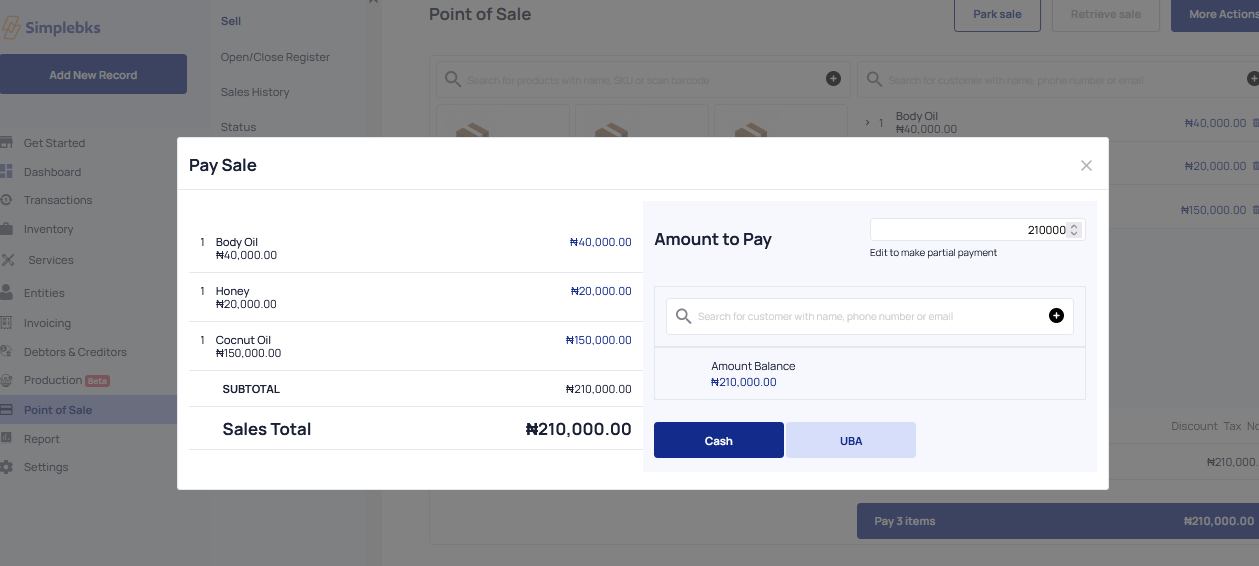
Click on Complete sales
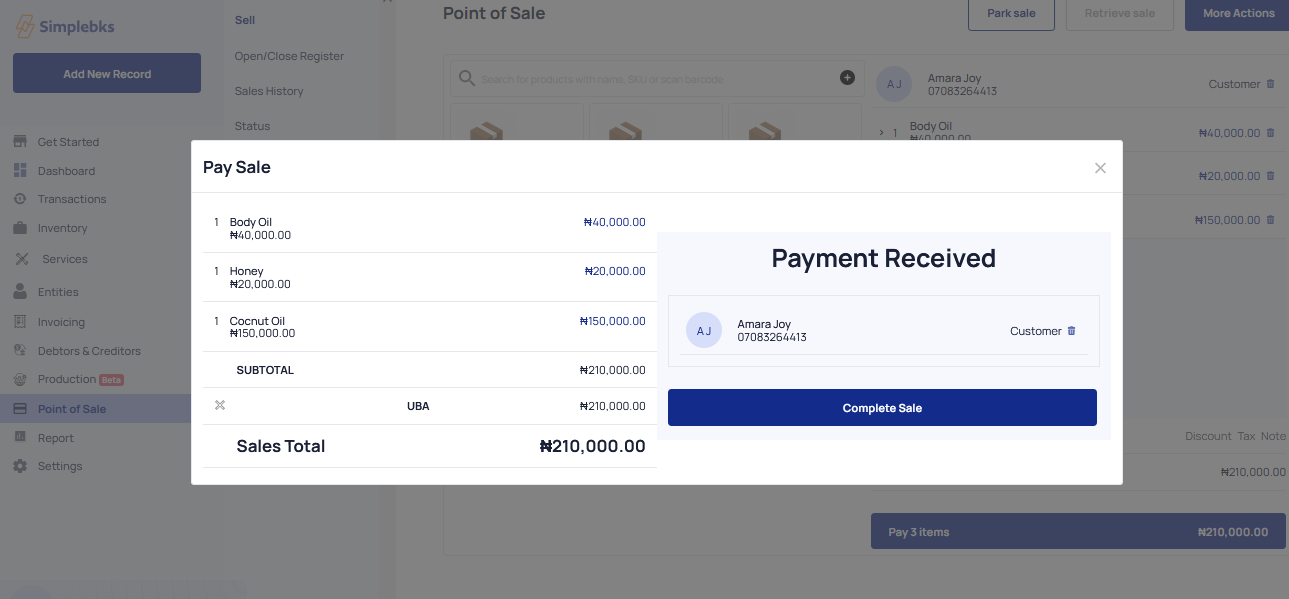
Check your receipts
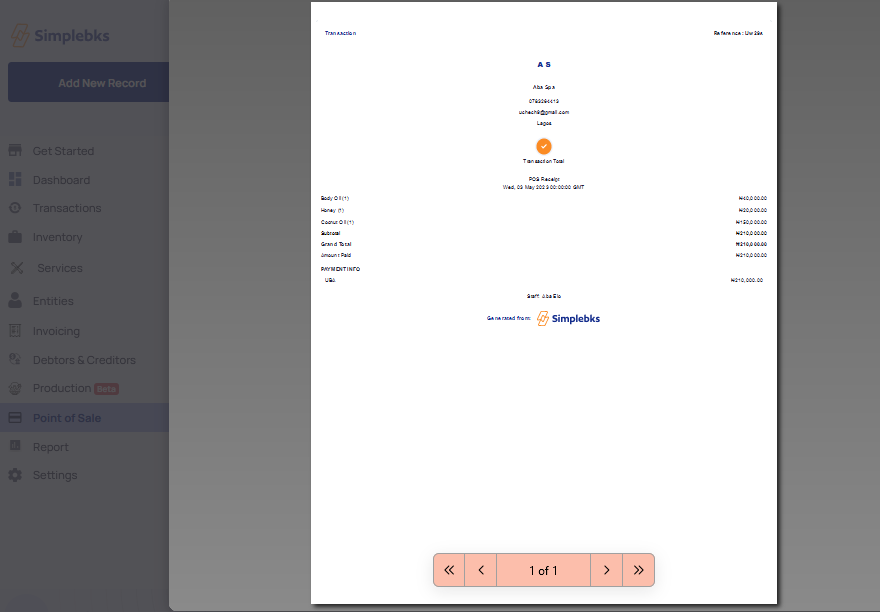
Make a printout
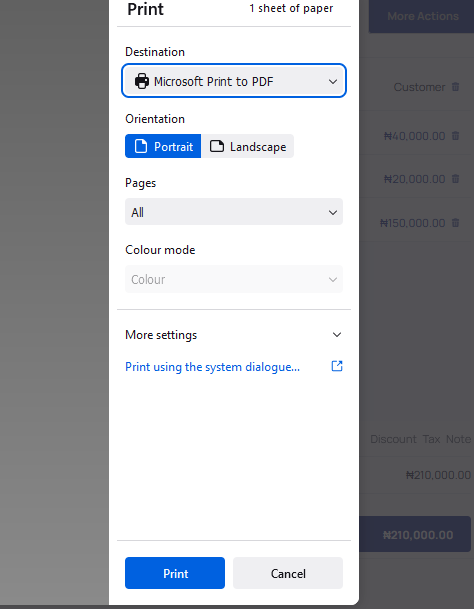
Close Register
Was this article helpful?