How To Transfer Your Stock To The New Business.
updated 9 months ago
HOW TO TRANSFER YOUR STOCK INTO YOUR NEW BUSINESS.
Log in to http://app.simplebks.com
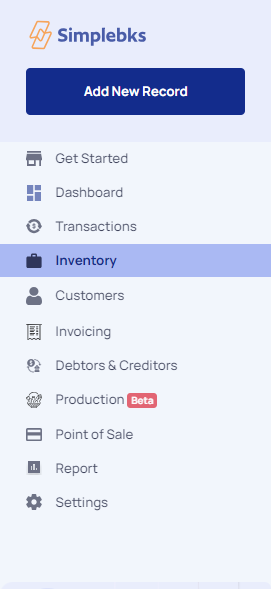
Scroll down to Settings at the left sidebar
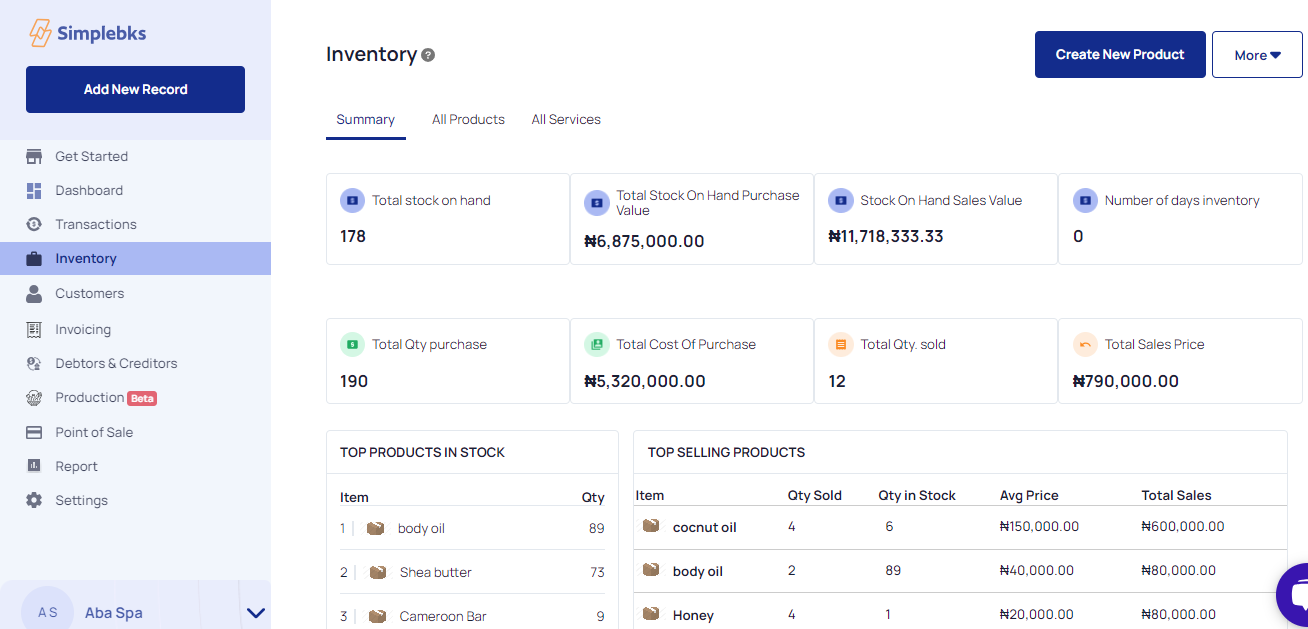
At the right side up bar, Click on More
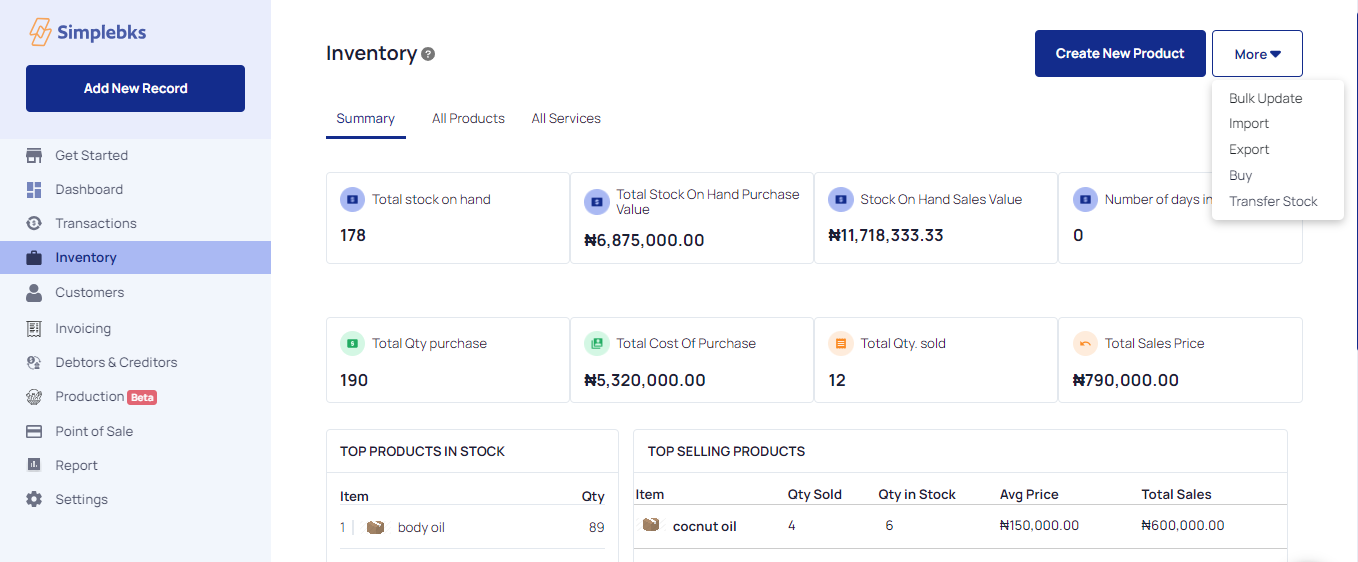
From the drop-down, click on Transfer Stock
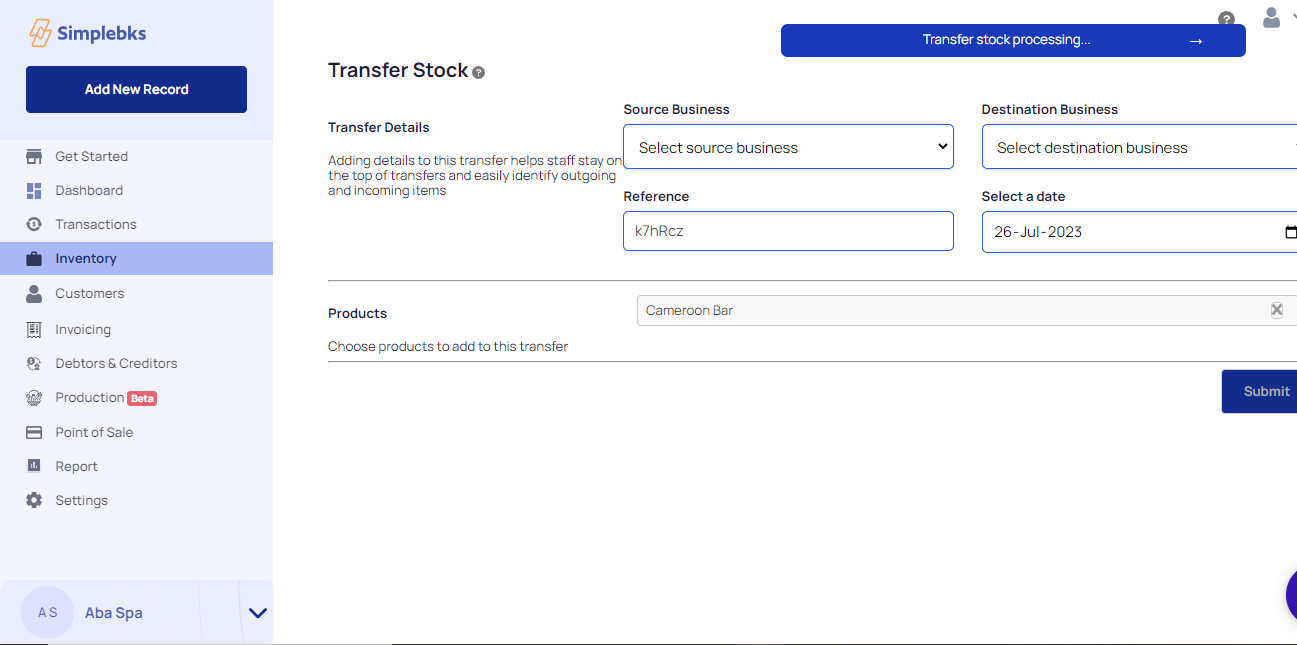
Enter the Business Transfer Stock details below
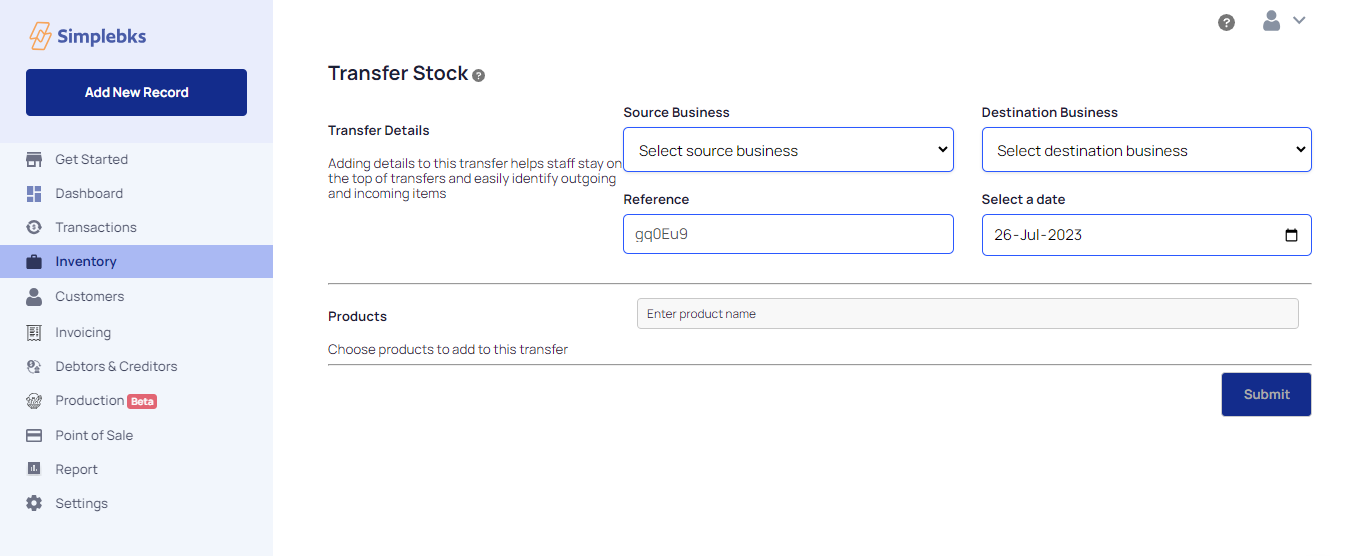
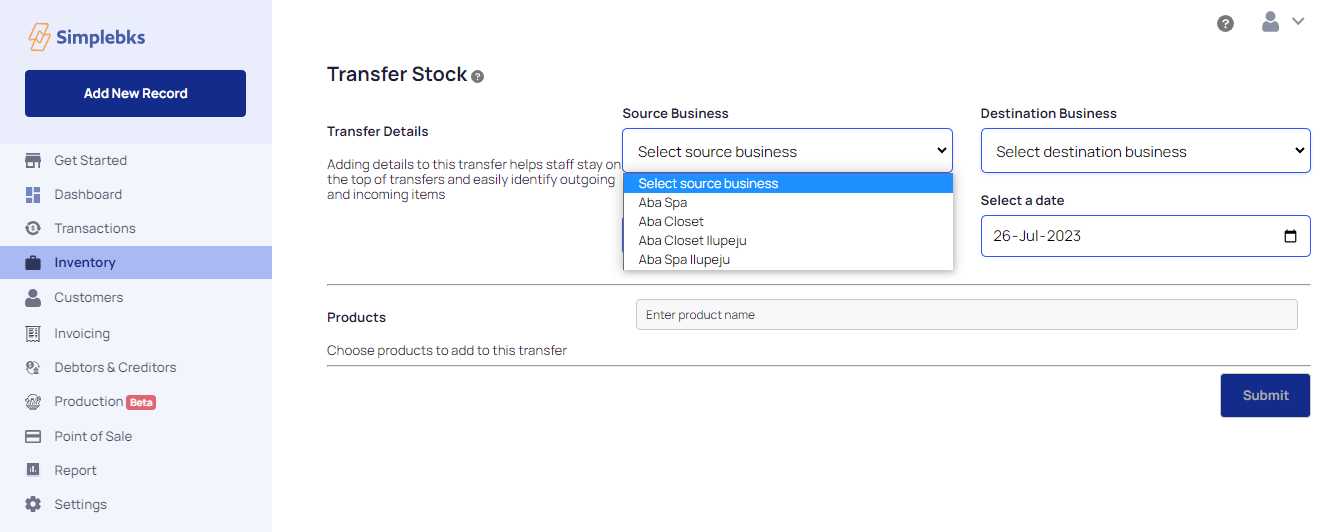
From the drop-down, select the source of business> This means where you are transferring the stock from.
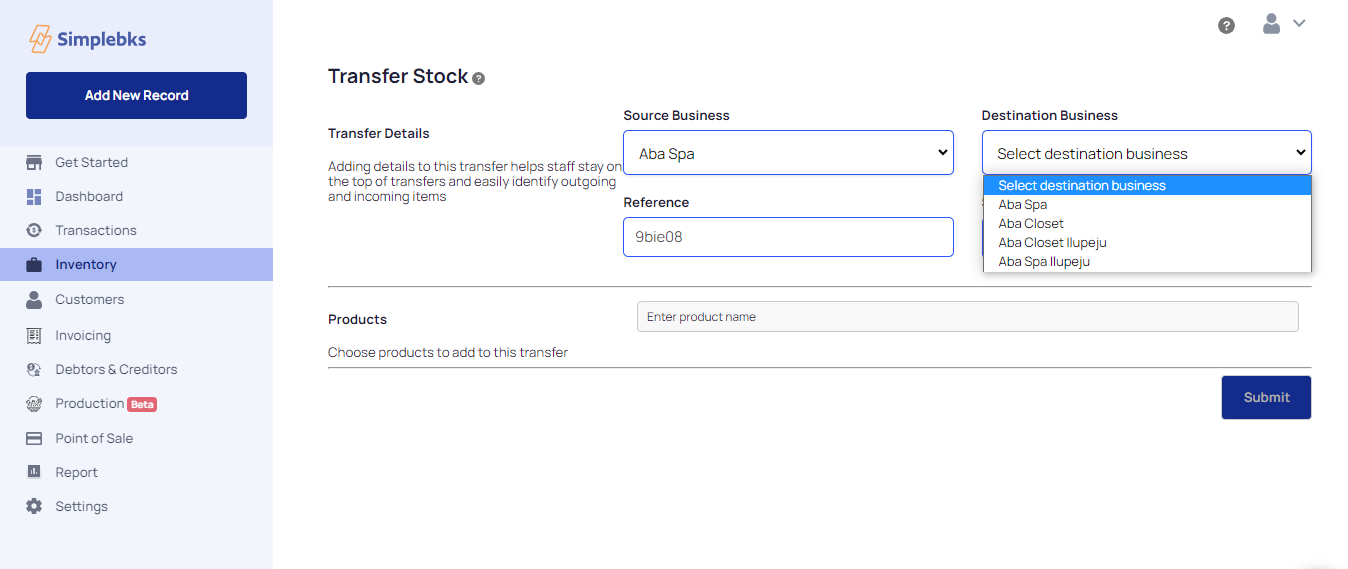
From the drop-down, select the destination business> This means where you are transferring the stock to.
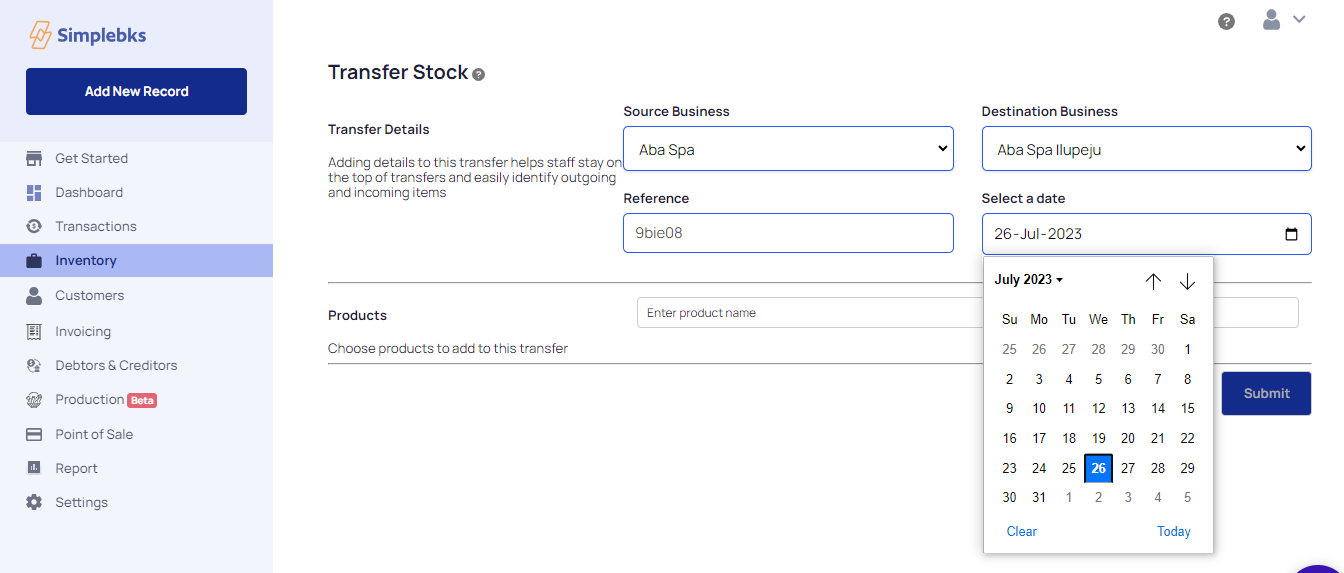
Select the date of the stock transfer.
Enter the Stock Product Name to transfer
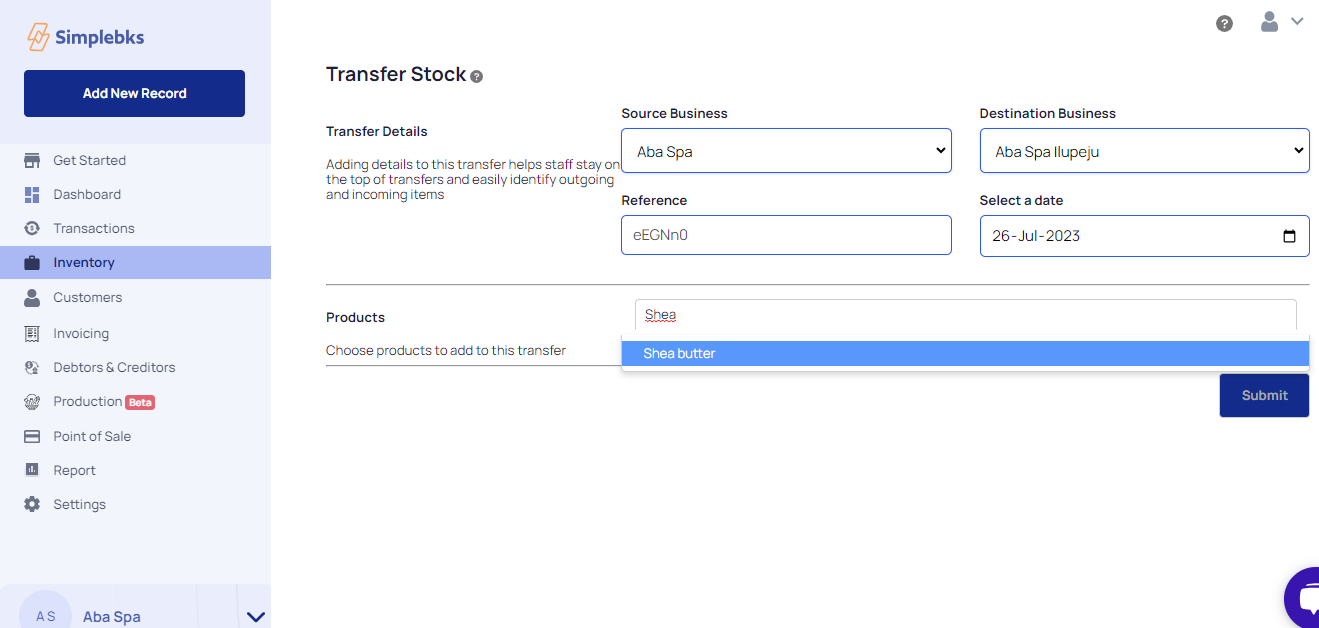
Details of the products such as Quantity and Cost price will appear will appear
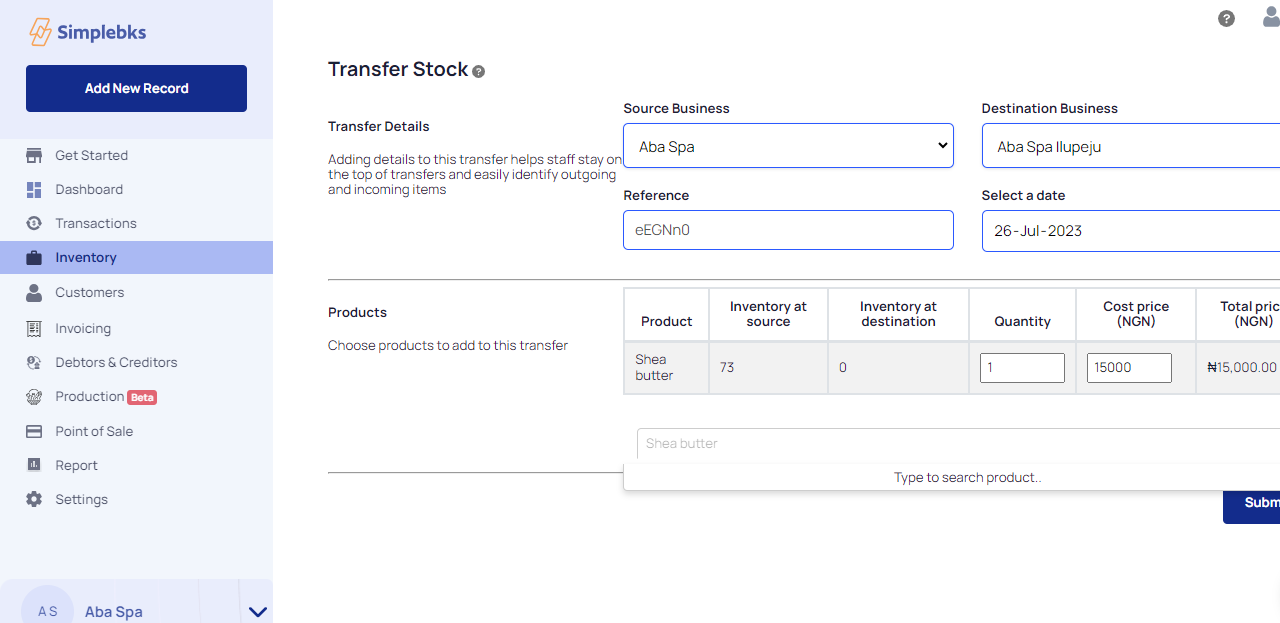
Enter another product name to add to the transfer.
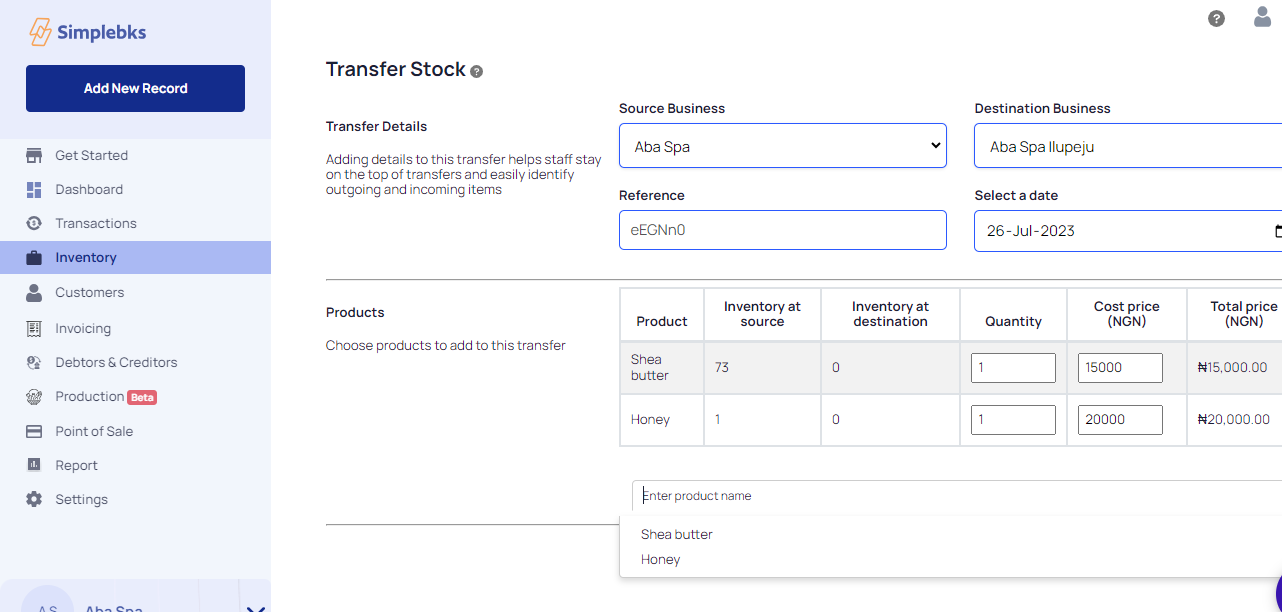
Enter another product name to add to the transfer> Details of the added products will also appear
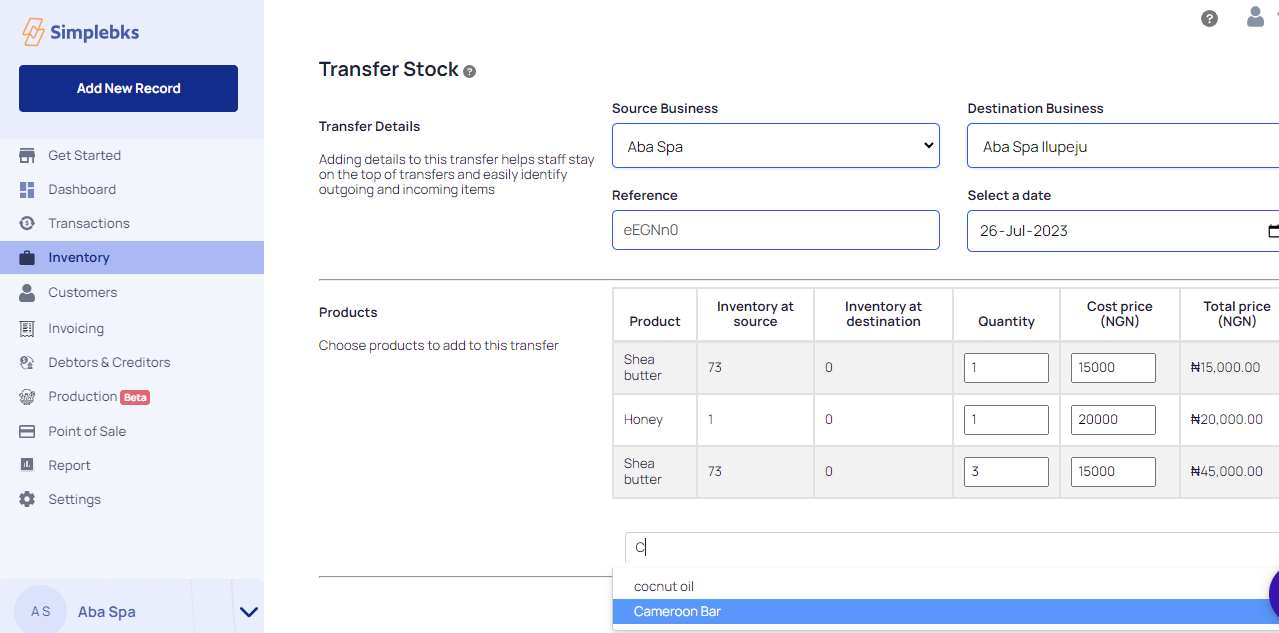
Click on submit
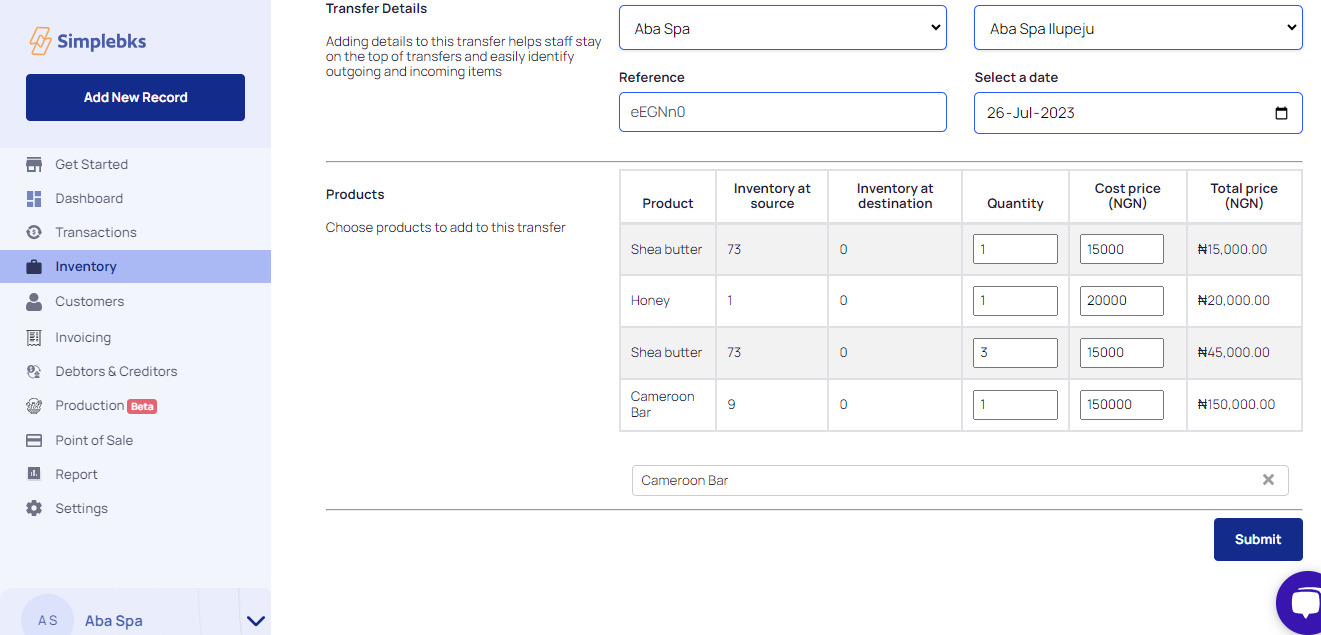
Transfer stock processing
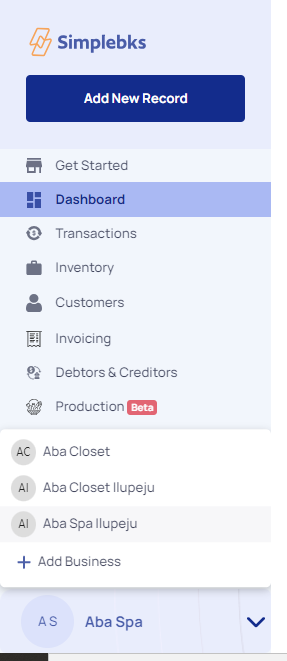
To confirm your transfer> Go back to the left sidebar
Click on the arrow icon, and enter the destination business
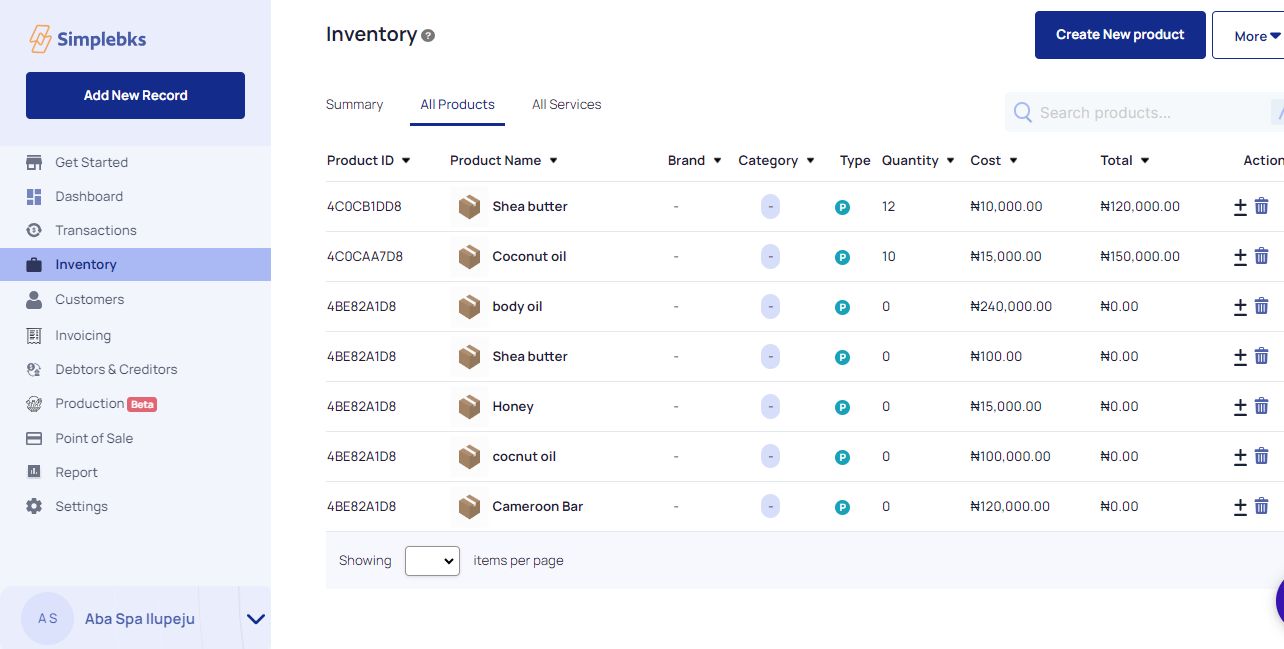
Go to Inventory> All products
All products successfully transferred
Was this article helpful?