How To Invite New Staff Into The Multiple Business
updated 9 months ago
Inviting Staff Into Multiple Business.
Log in to http://app.simplebks.com
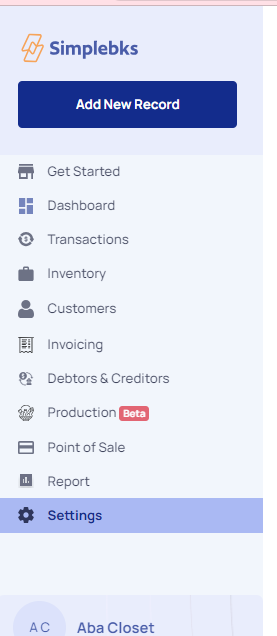
Scroll down to Settings at the left sidebar
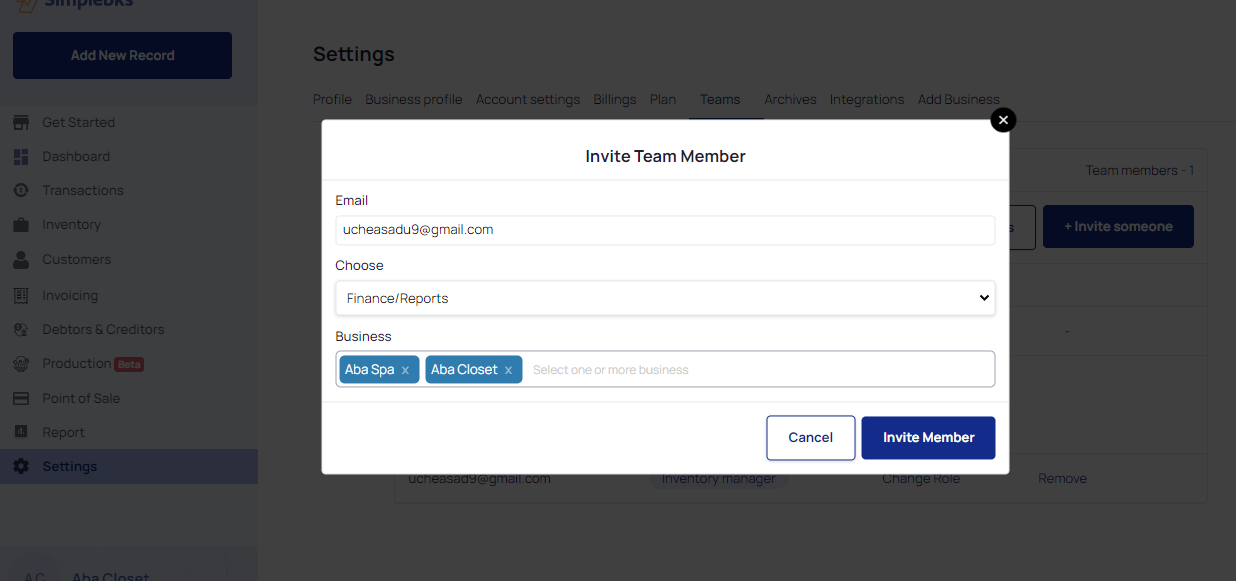
On your settings page, click on +Invite Someone
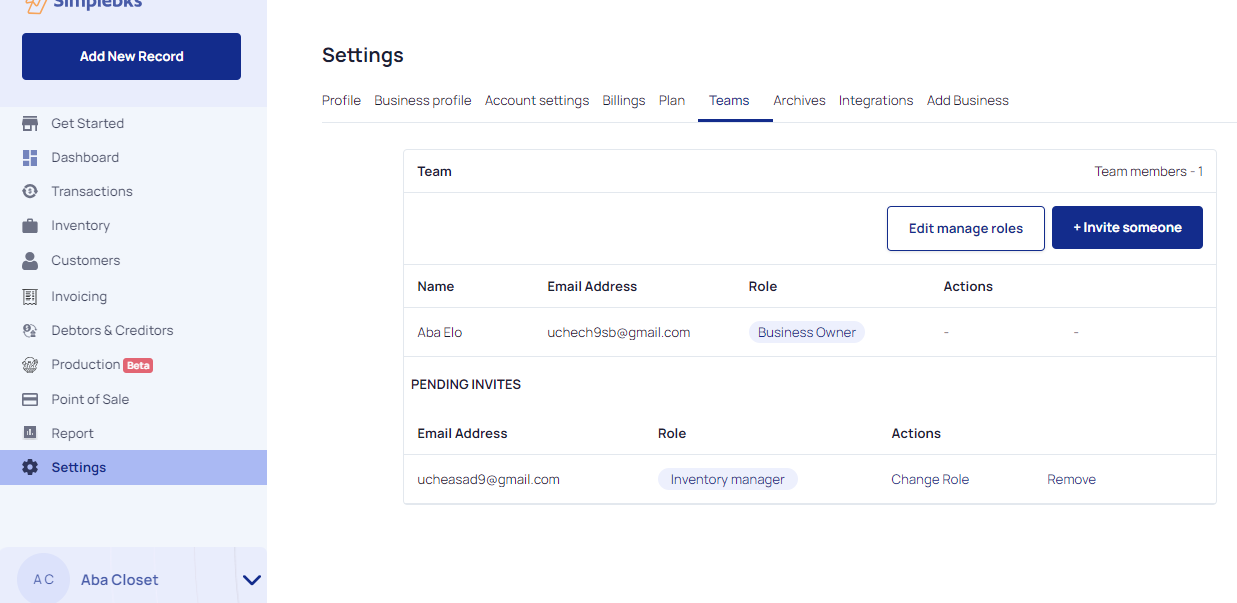
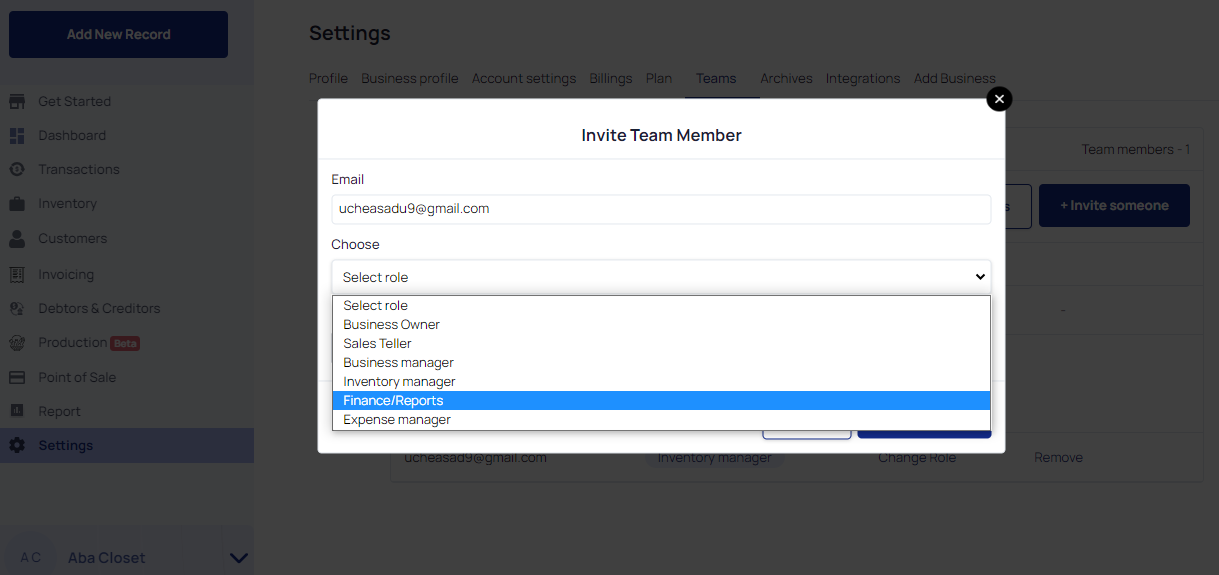
Enter the Email of the New Team Member
Select the role of the new team member from the drop-down menu
Select the business you wish to add the new member to.
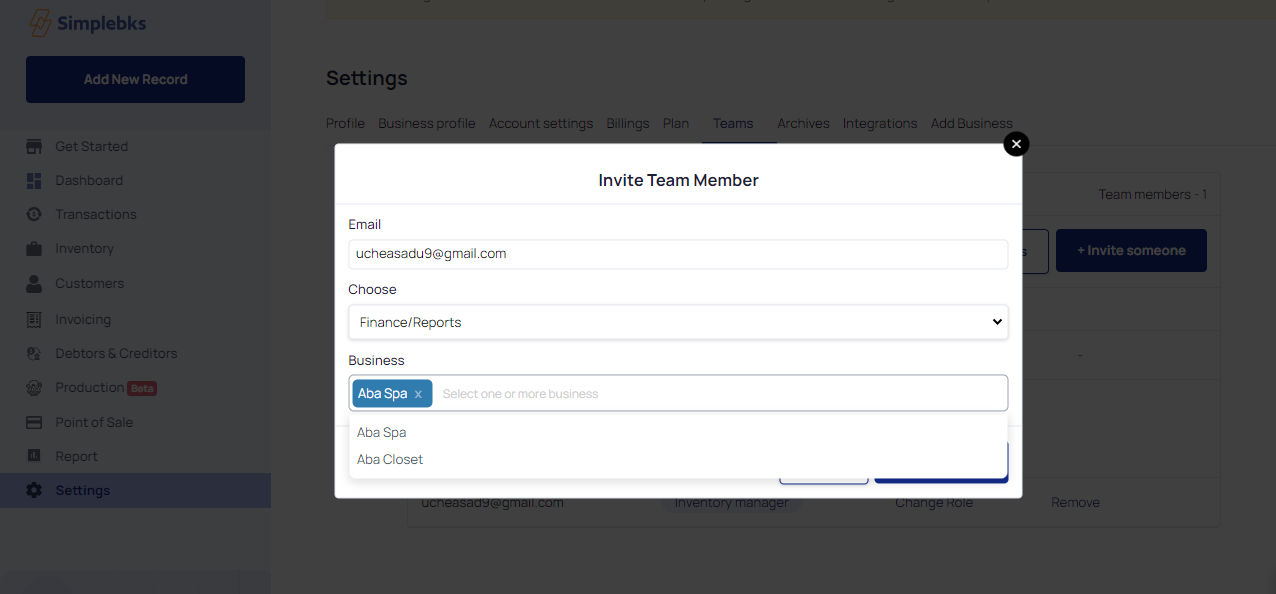
You can select one or more businesses to invite a new team member.
Click on Invite Member
Was this article helpful?