Introduction to Team Management
updated 11 months ago
On a Team Member page, you can typically find details about each individual involved in the transaction and production, such as their names, roles, email, and specific access. On the left navigation menu, click on Settings> Teams
Overview of the Team Management page
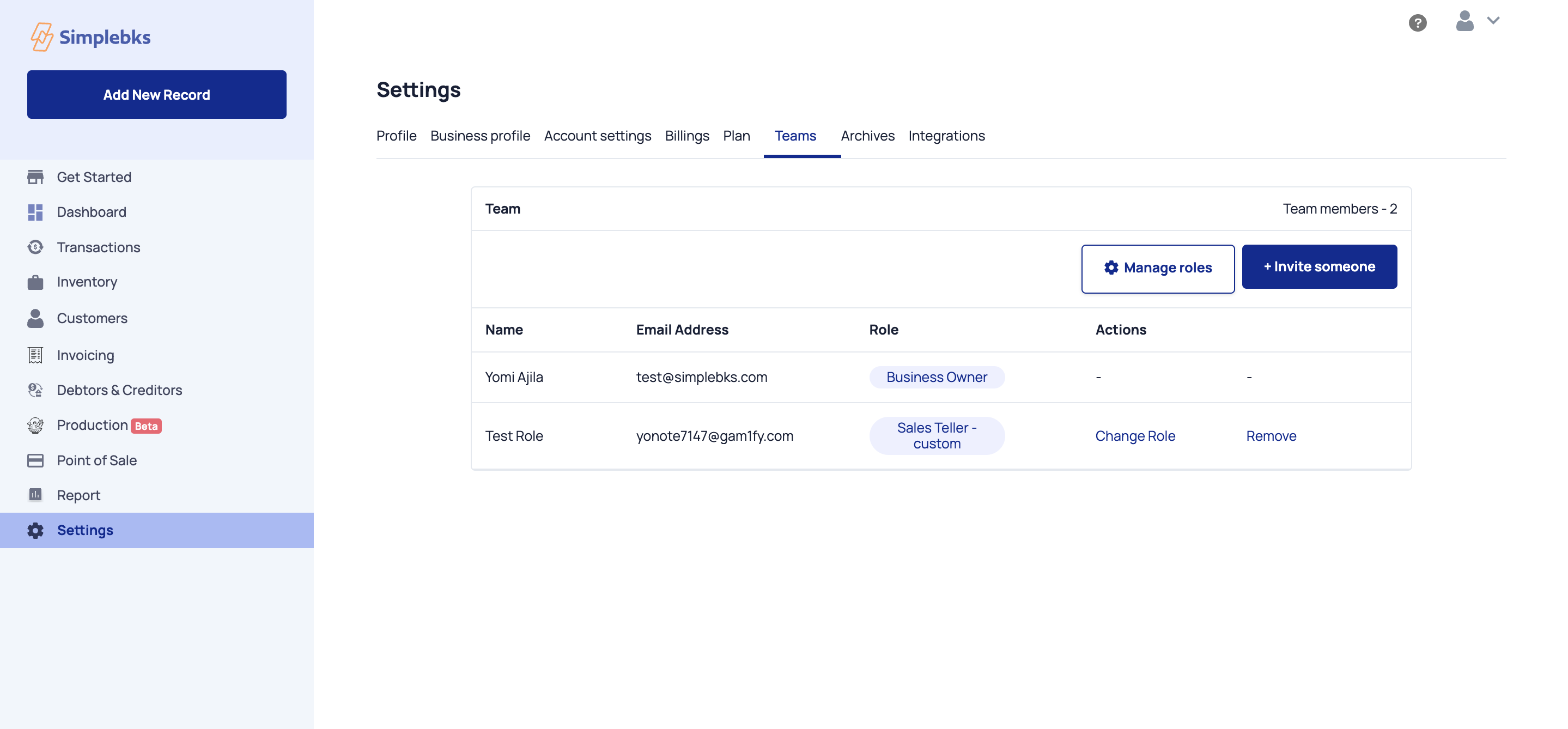
Manage roles- Click on each default role> What each role can access > What each role cannot access
Invite someone> +Invite member> Email> Select role> Invite Member
Role- i.e> Business Owner, Sales Teller
Action> Change the role of staff
Team management is essential for fostering collaboration, and streamlining workflows. It enables businesses to assign tasks, roles, and responsibilities, monitor progress, set permission and access levels, and enhance communication among team members to track the progress of tasks and projects.
Was this article helpful?